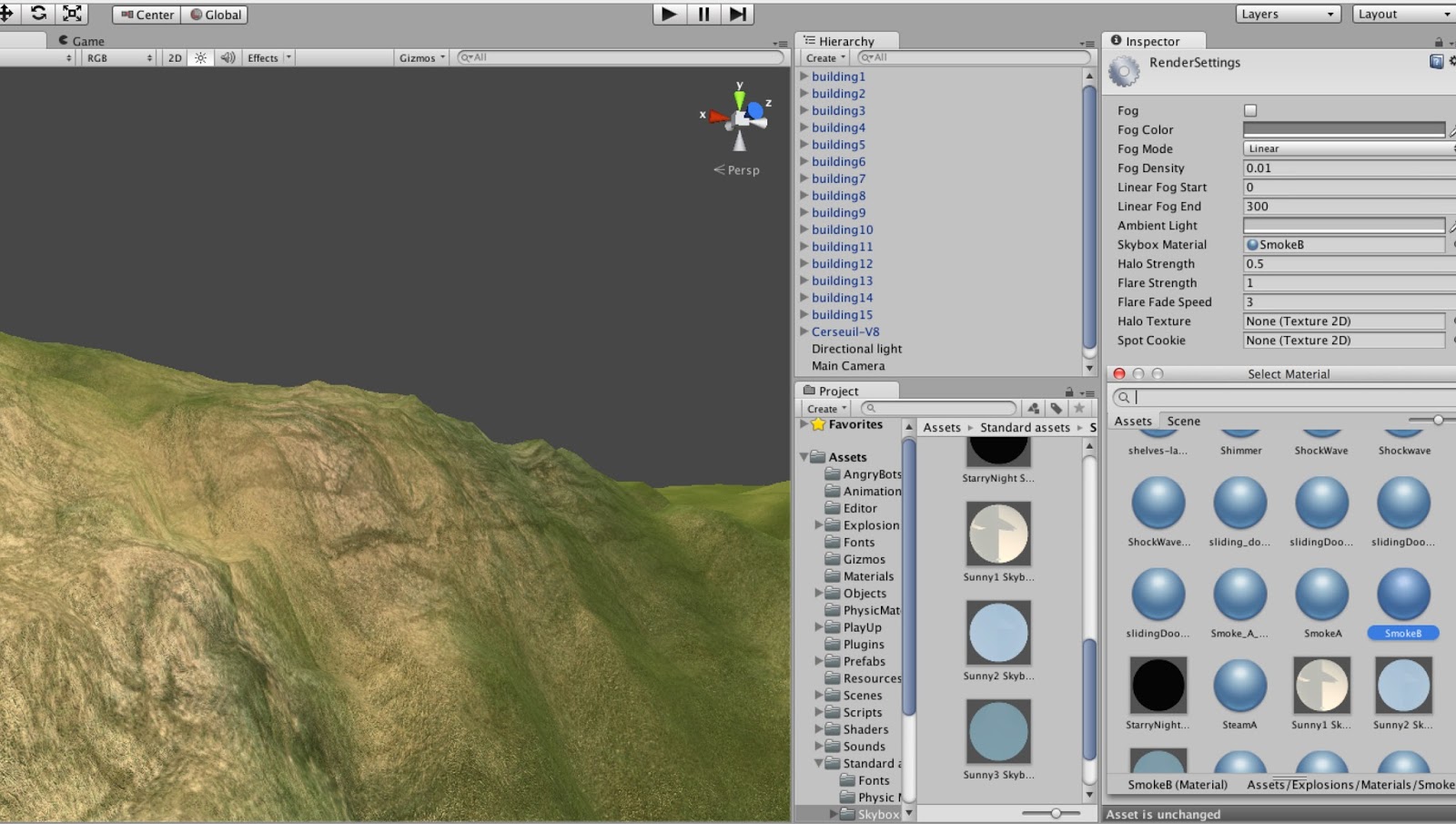
In order to develop the terrain, I tried to have some Light setting in Unity. Lights will bring personality and flavor to the environment as well as the whole scene. ( Online tutorial about lights setting: https://docs.unity3d.com/Documentation/Components/class-Light.html )
image capture by myself in Unity with test terrain.
In my previous Unity environment I have used one directional light, it's not as good as I expected because of the free version limited, I can't to any further shadow or shader setting to make it more reality.
Also, inside the church, lights might needed to illuminate the scenes and objects to create the perfect visual mood. The other group member Anthony tried to use some spot lights inside the church. It looks much better than before.
From the images, I have noticed that the surrounding buildings are not very tall and the terrain ground is very sandy. So I search a dirt path texture to detailed the terrain.
Close view of the draft environment with testing models and natural element.
Top view of part of the draft environment with testing models.
In next few weeks, our group is going to work together to make sure everything going well. Personally think environment edit should keep developing during the work all the time, since all members have done their own parts, then it's definitely a new start of environment edit when we put everything together.
After this weeks studio, our client John James cames join us together then we have got some new requirements and also some feedback. For my part, which is the environment, is required to have some typically buildings around the church, and natural elements such as trees should included as well. And the terrain don't have to be the exact same as the real one, but the landform have to accord with the actual of the church to make sure it fits in our terrain. I have also been required by tutor that, do not make the environment too fancy because the main role is the church. Based on these informations, I have done some processes. -Surrounding Buildings: I have got some Sketchup model from group mate Anthony, in order to test with the environment and to have path within the environment. Firstly I separated each building as single .skp file then exported them as .dae file, which is fitable to Unity.
After exported from Sketchup, I imported them as custom assets package into Unity.
Then I have done directional sunlight setting try to create some soft shadow with the building.
And in order to get better view during the edit, I play around with the camera setting for a while to get familiar with it.
/The Creation of Gothic Architecture Ricky, Dorothy Kar Yan, Maki, Stefan, David, Alan.
/The Last Suprematist Sculpture
Marina, Andrew.
/The Bus Stop of the Future Martha, Anthony, Kerre, Darren, Daniel.
From today's presentations by three different groups, I have learned a lot about Intellectual Property. It's about how can we protect our design idea by law, as a final year architecture student, it's very important and useful knowledge for further work. One of the group's cartoonish video is very interesting that combined the topic with the story.
For this week, I basically doing lot of research about how to make cartoonish style of environment and realistic natural terrain. And start to do our own environment in unity with textures. Heres are some reference image I found during the research. Personally like this kind of cartoonish architecture and environment style. I would like to try to set up the environment like this image in the following steps in needed.
Cartoonish style shader of the building.
Reference image found online.
Before to have further process of terrain making in World-Machine, I try to play around with terrain settings in Unity as tutorial. Here is the link of the tutorial I found online.
(tutorial of the terrain making)
Grass texture and normal map are found online.
Texture: https://www.filterforge.com/filters/4739-normal.html Normal map of texture: https://www.filterforge.com/filters/4739.html To make own texture in Unity, I firstly have to imported new Assets, then assign the texture to the terrain. Here is the screenshot of how the texture is worked with the terrain in Unity after imported.
In order to make the texture more reality, I did some shader settings. I made a new shader instead of the default one to make sure every setting going well with my own texture.
Here is the final outcome of the terrain texture. It's much more realistic with texture that have normal map and much better with specific shader setting.
In the next step, I'm going to have some more details setting of the terrain with plants and also the skybox.
Though we do well for the video, but for the presentation content we have to be more careful with the referencing. Endnote have to be located within the content. After other two groups present, I have learned some different parts about the Communication than our presentation didn't cover. Such as what can we get from good/bad communicate and what is the best way to communicate within different situations.